
Free QR code menus that never need reprinting
QR codes for every table, the counter and your flyers, each opening a live menu in the right mode.
Last updated
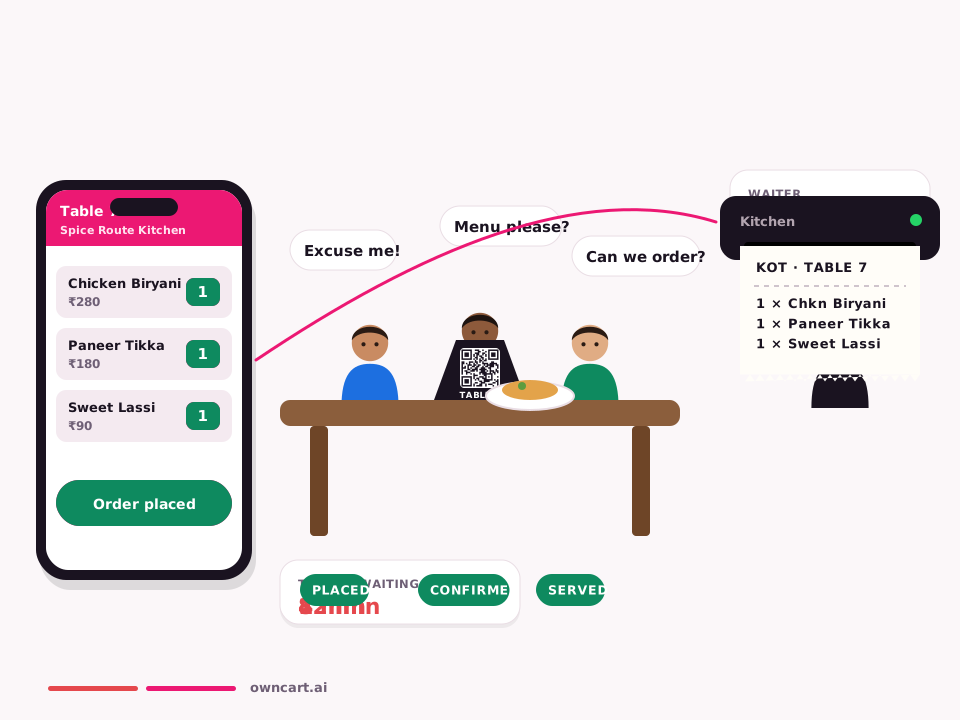
OwnCart creates free QR code menus for restaurants: one QR per table, a counter or pickup QR and a delivery QR for flyers. Each opens a live, phone-friendly menu that you can edit anytime, so the QR never needs reprinting. Ordering through the QR is part of the Restaurant plan.
What makes a good restaurant QR menu
A QR code is only as good as the page it opens. Many free QR generators just link to a PDF that is hard to read on a phone and cannot change. OwnCart's QR codes open a live, phone-friendly menu that you can edit anytime.
QR codes you can create
| QR code | Where to put it | What it opens |
|---|---|---|
| Table QR | On each table (T1–T20…) | Your menu, linked to that table; order and pay on the Restaurant plan |
| Counter / Pickup QR | Billing counter, takeaway window | Menu in pickup mode |
| Delivery QR | Flyers, delivery bags, posters | Menu in delivery mode |
| Outlet QR | Each branch | That outlet's menu and timings |
Why it matters that each QR opens the right mode
A flyer QR that opens the home page makes guests choose again, and some give up. OwnCart creates a QR for each outlet and order type, so a delivery flyer opens delivery and the counter QR opens pickup.
Print once, update forever
Because the QR points to your live menu, you never reprint it when prices, dishes or timings change.
Free vs Restaurant plan
QR menus are free. Ordering and paying through the QR, with the KOT sent to your kitchen or PetPooja, is part of the Restaurant plan. See table QR ordering.
Common questions
Is the digital menu really free?
Yes. Turning your paper menu into a digital menu, the QR code for each table and a starter website are free on OwnCart. You pay only when you want guests to order and pay online, on the Restaurant plan at ₹10,000 per outlet per year.
Do I need to reprint QR codes when prices change?
No. The QR code opens your live OwnCart menu, so when you change a price, add a dish or mark something sold out, guests see the update the next time they scan. Print the QR once.
What is included in the free plan?
Upload a photo or PDF of your menu and OwnCart's AI builds your digital menu. You get a QR code for each table and a starter website, so guests can see your menu the same day. Upgrade to the Restaurant plan to take paid orders.
Related pages
Put your menu online tonight.
Start free with a photo of your menu, or book a 15-minute demo and we'll set it up with you.
- 0% commission on every order
- Free digital menu to start
- Set up in Tamil or English