
One board. Every channel. The kitchen hears it beep.
WhatsApp, table QR and website tickets land on the same screen — no copying chats into the POS.
Last updated
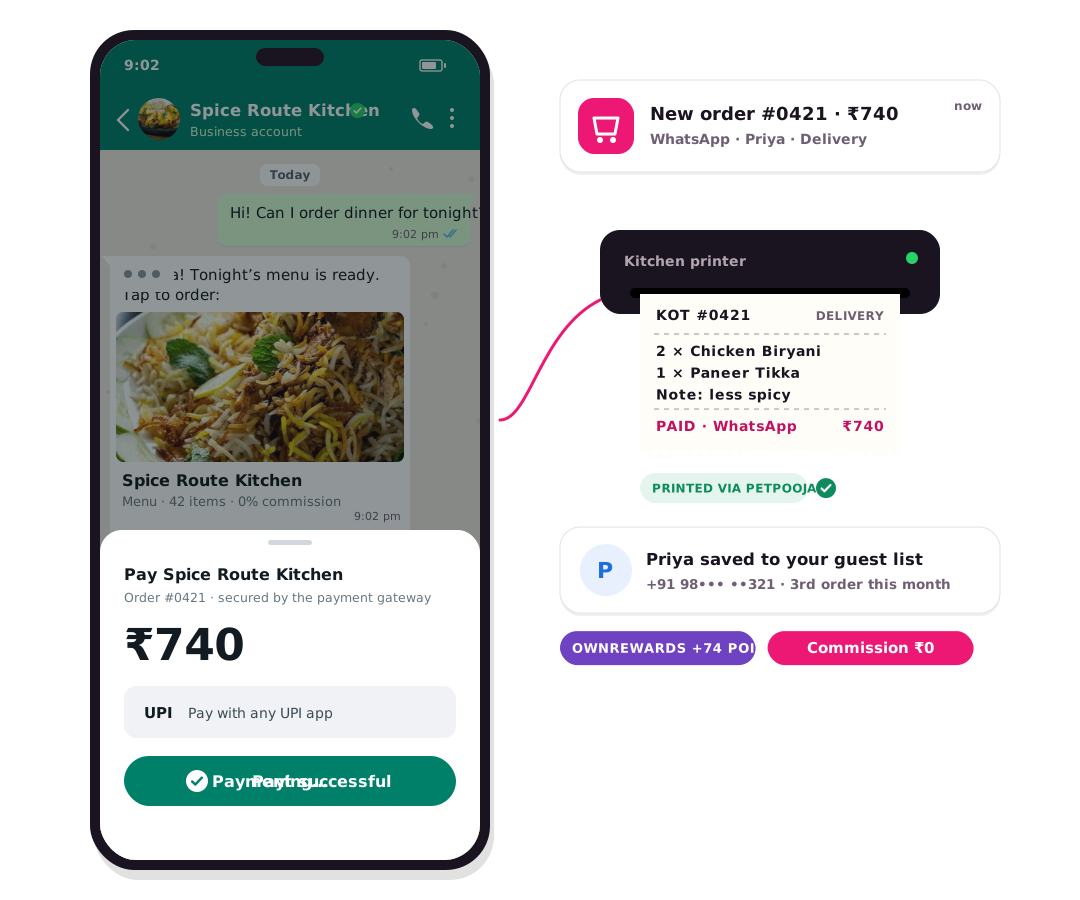
Every paid order from every channel lands on one live board with sound, status flow, GST invoice and dispatch. Staff can create a phone order and attach a table.
Realtime tonight
Merchant: Friday 8pm: a WhatsApp biryani and a table-7 dosa appear on one board. Cook doesn't care which channel.
Customer: Priya watches CHN-1842 go Received → Accepted → Ready on the same order she just paid.
How it works
- Channel hits the boardWhatsApp, QR, website and staff-created tickets appear with a beep.
- Accept or auto-acceptOnline-paid tickets can auto-accept in the rush; COD waits for a tap.
- Kitchen cooksKOT prints in PetPooja or Positeasy when connected.
- DispatchOwn rider or Adloggs/3PL from the same ticket.
- Guest is toldWhatsApp status: preparing, out for delivery, delivered.
Same feature, other businesses
Restaurants.
- Merchant: Move tickets on Live Orders; PetPooja may lock some transitions. Customer: Sees timeline on order detail / WA.
Grocery & kirana.
- Merchant: Move tickets on Live Orders; PetPooja may lock some transitions. Customer: Sees timeline on order detail / WA.
Textiles & garments.
- Merchant: Move tickets on Live Orders; PetPooja may lock some transitions. Customer: Sees timeline on order detail / WA.
Clothing stores.
- Merchant: Move tickets on Live Orders; PetPooja may lock some transitions. Customer: Sees timeline on order detail / WA.
Meat stalls.
- Merchant: Move tickets on Live Orders; PetPooja may lock some transitions. Customer: Sees timeline on order detail / WA.
Common questions
Is this a separate OwnCart product?
No. Live order board is a feature area inside OwnCart, same plan as WhatsApp ordering and the live board.
Where do I see a full WhatsApp example?
The page we use as the pattern is WhatsApp ordering — Hi → pay → KOT.
Related pages
Put this live on your outlet.
Start free with a photo of your catalogue, or book a 15-minute demo.
- 0% commission on every order
- Free digital menu to start
- Set up in Tamil or English