
Turn your paper price list into a digital catalogue. Free.
Take a photo of your printed menu. OwnCart's AI builds your digital menu, and QR codes for every table are ready tonight. No agency, no typing, no cost.
Last updated
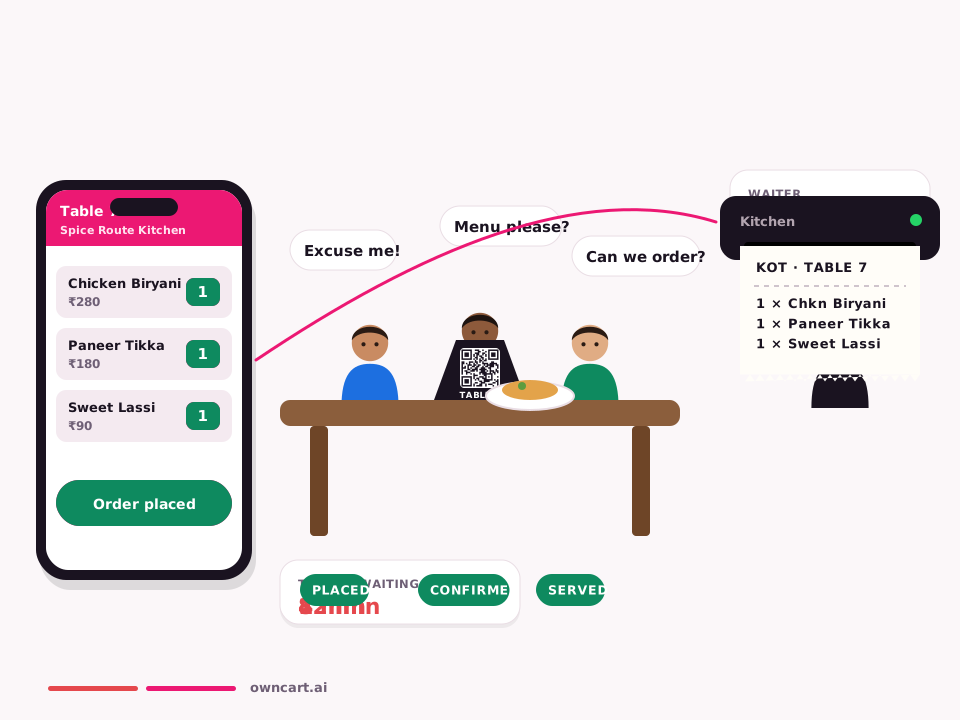
OwnCart turns a paper or laminated restaurant menu into a digital menu for free. Upload a photo or PDF; AI reads the dishes, prices and sections into a draft you review and publish; then print a QR code for every table and the counter. Changing prices later needs no reprinting.
From paper to phone in five steps
- Take a photo of your menuPhotograph each page of your printed or laminated menu in good light, or upload the PDF you already have.
- AI builds the draftOwnCart's AI reads dishes, prices and sections and turns them into a draft digital menu with categories.
- Check and fixReview the draft. Correct any price or dish name, add veg / non-veg labels, photos and Half / Full options.
- PublishPublish your menu. It goes live on your free OwnCart website address.
- Print your QR codesDownload a QR code for every table and the counter. Guests scan and see your menu on their phone the same evening.
What you get free
- Digital menu created by AI from a photo or PDF
- QR code for every table and the counter, ready to print
- Starter restaurant website on an OwnCart address
- Categories, dish photos and veg / non-veg / egg labels
- Edit anytime: change prices without reprinting menus or QR codes
Paper menu vs PDF vs OwnCart digital menu
| Printed menu | PDF on WhatsApp | OwnCart digital menu | |
|---|---|---|---|
| Change a price | Reprint | Make and resend a new PDF | Edit once, live everywhere |
| Mark a dish sold out | Not possible | Not possible | One tap, or synced from PetPooja |
| Readable on a phone | — | Pinch and zoom | Built for phones |
| Photos and veg labels | Costly to print | Heavy file | Built in |
| Found on Google | No | No | Your own menu web page |
| Take orders | No | Manual chat | Upgrade to order and pay |
| Cost | Printing every change | Free, but manual | Free |
Problems it solves
- Reprinting menus every time prices change: edit online; the QR always shows today's prices.
- Stained, torn laminated menus: guests use their own phone.
- An agency quote and a week of typing to go digital: AI does the typing in minutes.
- Veg guests ordering non-veg by mistake: clear green and red labels on every dish.
- Guests asking “what's finished?”: mark dishes sold out and they disappear from the menu.
When you are ready for orders
The same menu becomes your ordering system on the Restaurant plan: table QR orders with payment, delivery and pickup on your website, and WhatsApp ordering, with 0% commission. Nothing needs to be rebuilt.
Tips for a clean first draft
- Lay the menu flat and photograph one page at a time, straight on, with no glare.
- Upload the original PDF if your printer gave you one; it reads best.
- Check Half / Full prices and combo items first; they are the easiest to misread.
Step-by-step guide: how to turn a paper menu into a digital menu.
Common questions
Is the digital menu really free?
Yes. Turning your paper menu into a digital menu, the QR code for each table and a starter website are free on OwnCart. You pay only when you want guests to order and pay online, on the Restaurant plan at ₹10,000 per outlet per year.
What menu formats can I upload?
A clear photo of each menu page, or a PDF. OwnCart's AI reads the dishes, prices and sections and creates a draft for you to check and publish.
What if the AI reads a price wrong?
You review every draft before publishing. Fix any price, dish name or category in the menu editor, then publish. Nothing goes live until you publish it.
Do I need to reprint QR codes when prices change?
No. The QR code opens your live OwnCart menu, so when you change a price, add a dish or mark something sold out, guests see the update the next time they scan. Print the QR once.
Related pages
Want us to digitise your menu with you?
Share your details and we'll help you upload your menu and print QR codes.
- 0% commission on every order
- Free digital menu to start
- Set up in Tamil or English