
Your restaurant's own ordering website. 0% commission.
A branded site on your own domain that works like an app, takes payments and sends every order to your kitchen.
- Your own domain
- Installs like an app
- Petpooja & Positeasy sync
Last updated
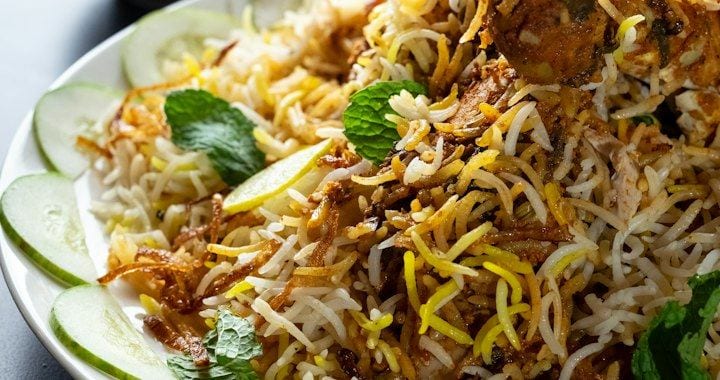
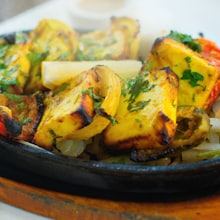
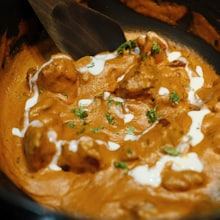 Butter ChickenHalf · Full₹260 ADDPaneer TikkaMild · Hot₹180 ADD
What is a restaurant ordering website?
A restaurant ordering website is your own site where guests browse your menu, choose delivery, pickup or dine-in, and pay online. Owncart gives restaurants a branded ordering website on their own domain. It installs on guests' phones like an app, takes UPI and card payments through Razorpay, and charges 0% commission. You edit it in Website Studio with drafts, preview and version restore.
- At a glance
- Domain
- Your own, e.g. order.yourrestaurant.com
- Order types
- Delivery, pickup and dine-in
- Payments
- UPI and cards via Razorpay; cash on delivery where you allow it
- App
- Installs on phones (PWA) — no Play Store
- Editing
- Website Studio: draft, preview, publish, restore
- Price
- Free starter site; ordering on the Restaurant plan, ₹10,000 per outlet per year
Everything a restaurant site needs, built in
Restaurant template
A menu-style header and category circles, made for food.
Website Studio
Edit in draft, preview, publish, and restore earlier versions.
Your own domain
For example order.yourrestaurant.com, plus policy pages.
Sections
Banners, chef specials, pre-booking campaigns, testimonials, gallery, reels, FAQ and blog.
Installs like an app
Guests add it to their home screen (PWA), no Play Store needed.
Search without login
Text and voice search, and browsing without an account.
SEO per dish
So “butter chicken delivery near me” can find your page instead of an aggregator.
Measure your ads
Meta Pixel and Google Tag Manager built in.
A checkout built for Indian restaurants
- Delivery, pickup or dine-in chosen first, so fees are right
- Half / Full, add-ons, coupons and OwnRewards points on the bill before payment
- A “cooking instructions” box that reaches the kitchen
- UPI and cards via Razorpay; cash on delivery where you allow it
- Guests can't pay for sold-out dishes
Launch your ordering website in five steps
- 1
Start free with your menu
Upload a photo or PDF of your menu; you get a free starter website. Free digital menu →
- 2
Design it in Website Studio
Pick the restaurant template and add sections: banners, specials, gallery, FAQ.
- 3
Connect your domain
Point a domain like order.yourrestaurant.com to your site.
- 4
Switch on ordering
On the Restaurant plan, turn on delivery, pickup and dine-in, payments and your POS.
- 5
Share the link
Put it on WhatsApp, Instagram, Google and your printed QR codes.
Your website vs an aggregator listing
| Aggregator listing | Your Owncart website | |
|---|---|---|
| Commission | Aggregator commission on every order | 0% Owncart commission |
| The guest's number | Kept by the platform | Yours, for WhatsApp offers |
| Your brand | One listing among many | Only your restaurant, on your domain |
| Found on Google | The aggregator's page | Your own dish pages |
| Offers and loyalty | Platform rules | Your coupons and OwnRewards points |
Keep aggregators for new guests. Bring regulars direct.
No website? Watch one get built.
Start with the free starter site from your digital menu, then switch on ordering, a custom domain and Website Studio when you're ready.
Can I use my own domain?
Yes. The Restaurant plan includes a custom domain for your ordering website, for example order.yourrestaurant.com. You can start on a free Owncart address.
Do my customers need to download an app?
No. Your ordering site works in any mobile browser and inside WhatsApp. Regulars can add it to their home screen as an app (PWA) without the Play Store.
Can I edit the website myself?
Yes. Website Studio lets you edit in draft, preview, publish and restore earlier versions, so a change never breaks a busy evening.
How do guests pay?
By UPI or card through Razorpay. You can allow cash on delivery where you want it.
Does it work with my POS?
Yes. Orders from your website go to Petpooja or Positeasy and print as a KOT. See Owncart × Petpooja.
Does Owncart take a commission on orders?
No. Owncart charges 0% commission. You pay a flat ₹10,000 per outlet per year for the Restaurant plan. Payment gateway fees apply, and whatsApp charges are billed per delivered message, at the rates in our Message Price File, which we share separately. It's never a cut of your sale.
Launch your ordering website.
Start free with a photo of your menu, or book a 15-minute demo and we'll set it up with you.
- 0% commission on every order
- Free starter website
- Set up in Tamil or English