
Free QR menu tonight. Table and counter ordering when you're ready.
Photograph your menu, print a QR for every table, and let guests order and pay without waiting for a waiter.
Last updated
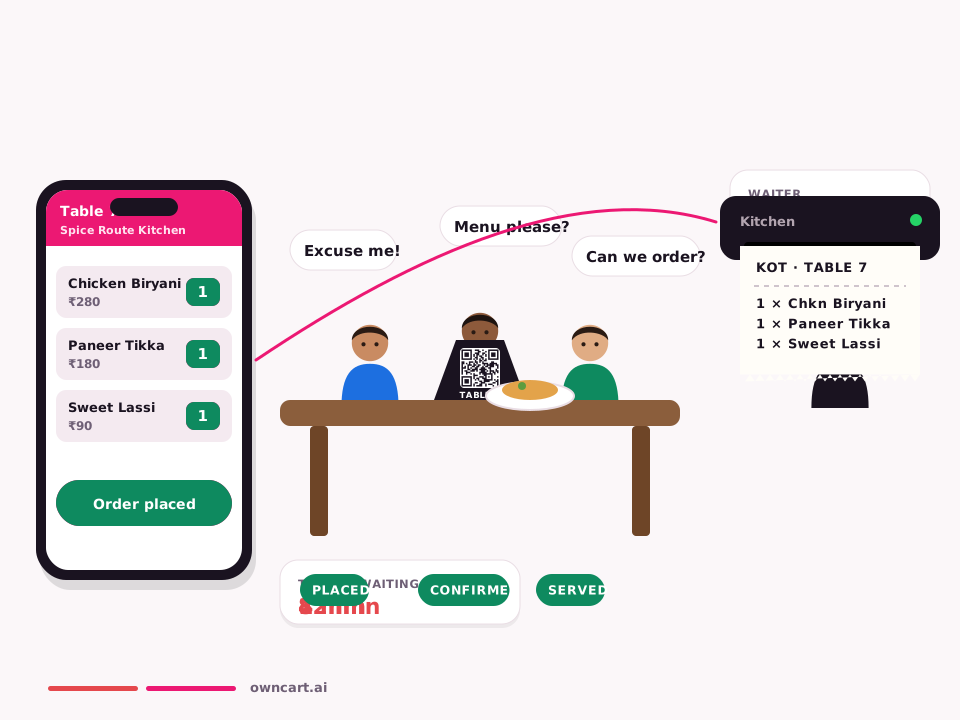
Watch table QR
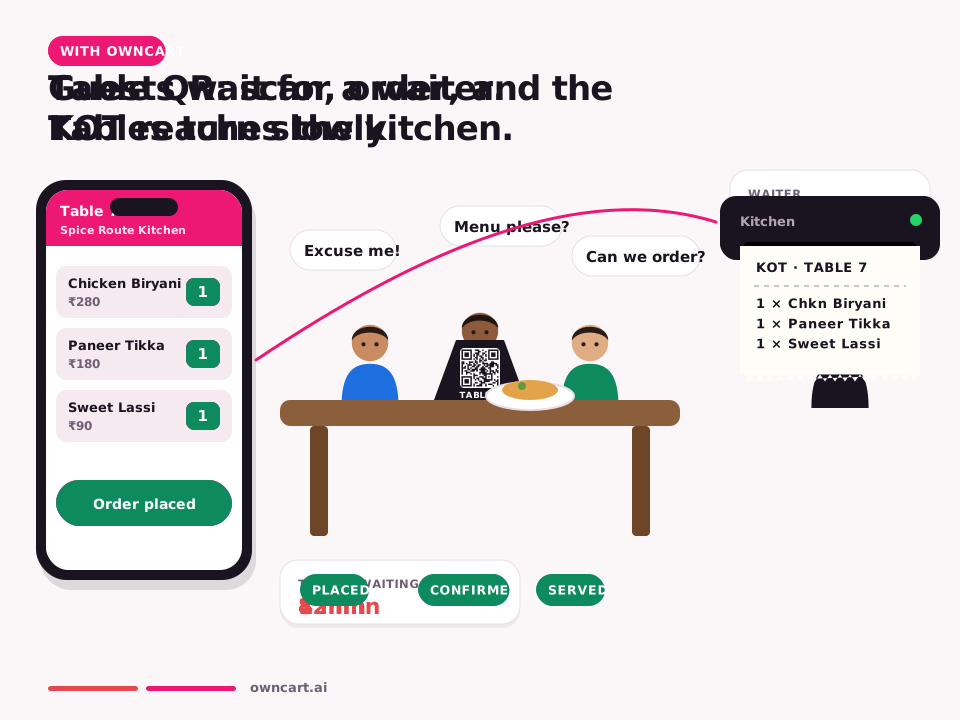


OwnCart turns a photo of your menu into a digital menu with AI and gives each table its own QR code, free. On the Restaurant plan, guests scan the table QR, order, pay online, and the KOT reaches the kitchen or PetPooja with the table number.
Set up table QR ordering
- Photograph your menuUpload a photo or PDF. AI drafts categories, dishes, prices and veg / non-veg labels. Fix anything it misread and publish.
- Add your tablesCreate T1, T2… with seating capacity and drag them into floor order.
- Download and print QR codesEach table gets its own QR, downloadable as a PDF to print and stick on the table.
- Guest scans and ordersThe menu opens on their phone, already tied to the table. Optionally they enter the number of guests.
- Pay and send to kitchenThey pay online; the KOT reaches the kitchen or PetPooja with the table number. No rider task, no waiter note.
Free menu, paid ordering
| Free | Restaurant plan | |
|---|---|---|
| AI menu from a photo | Yes | Yes |
| QR code per table | Menu view | Order and pay |
| KOT to kitchen / PetPooja | — | Yes |
| Online payment at the table | — | Yes |
| Guest count and table moves | — | Yes |
What changes in service
- Guests order when they are ready, not when a waiter is free
- No misheard orders: the KOT is exactly what the guest tapped
- Table turns faster because payment happens on the phone
- Every dine-in guest's number is captured for WhatsApp offers later
Counter and flyer QR too
Besides table QRs, create a Pickup QR for the counter and a Delivery QR for flyers. Each opens the right order type, so guests never land in the wrong mode.
No waiter wait. No queue. No kiosk.
Table QR · dine-in
Scan the QR on the table → pick dishes and add-ons → the order prints as a KOT in PetPooja → status goes placed, confirmed, served. For you: faster table turns, fewer missed orders, and every dine-in guest's number saved.
Pickup QR · at the counter
Scan the counter QR → order and pay on the phone → “Your order is ready” on WhatsApp → collect. For you: the rush-hour queue disappears, and counter staff just hand over food.
| Kiosk | OwnCart pickup QR | |
|---|---|---|
| Hardware cost | Lakhs per unit | A printed QR |
| Queue | Guests queue at the kiosk | Guests order from their seat or in line |
| Payment | At the kiosk | UPI or card on their own phone |
| Order-ready alert | Screen or token number | WhatsApp: “Your order is ready” |
| Guest's number | Not captured | Saved to your guest list |
Common questions
What is included in the free plan?
Upload a photo or PDF of your menu and OwnCart's AI builds your digital menu. You get a QR code for each table and a starter website, so guests can see your menu the same day. Upgrade to the Restaurant plan to take paid orders.
How long does it take to go live?
Your digital menu and table QR codes can be live the same day you upload your menu. Online ordering goes live once you connect payments (Razorpay), WhatsApp and, if you use one, your POS.
Does OwnCart work with PetPooja?
Yes. OwnCart has two-way sync with both PetPooja and Positeasy: menu sync, order creation in the POS (the KOT prints as usual), order status updates and green bills sent to the guest on WhatsApp. You can also run OwnCart without a POS. See OwnCart × PetPooja and OwnCart × Positeasy.
Do you replace a kiosk?
Yes. A printed pickup QR at the counter lets guests order and pay on their own phone and get a WhatsApp message when the order is ready, so you don't need kiosk hardware.
Related pages
Put your menu online tonight.
Start free with a photo of your menu, or book a 15-minute demo and we'll set it up with you.
- 0% commission on every order
- Free digital menu to start
- Set up in Tamil or English