The app knows her. You don't.
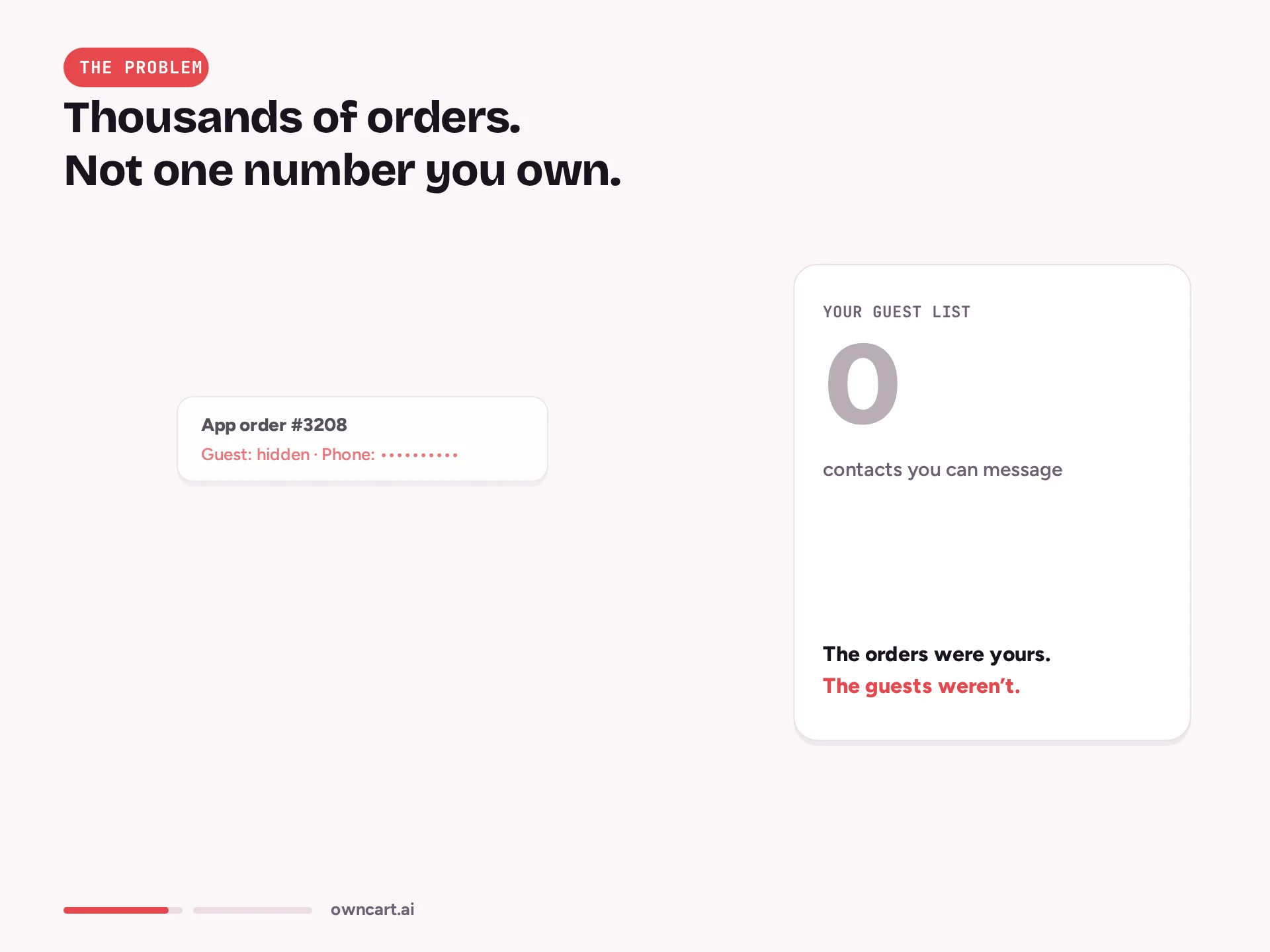
Priya orders your biryani every Friday through a delivery app. On your side it is an order ID and a masked number. When she stops ordering, you never find out.

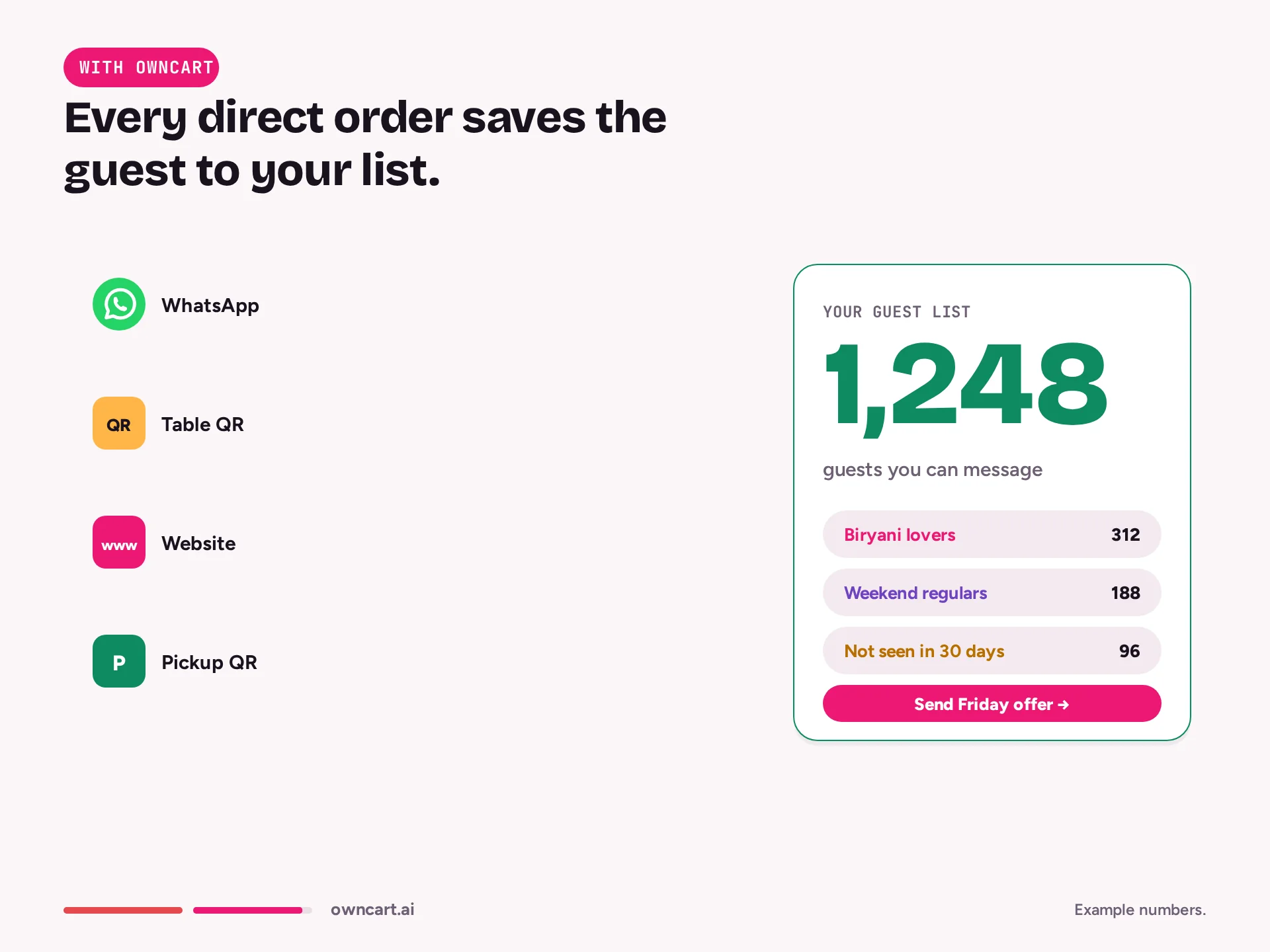
Every direct order saves the guest: WhatsApp number, saved addresses, order history and OwnRewards points. Guests log in with a phone OTP at add-to-cart or checkout, move from new to recurring to loyal, and any segment exports as CSV so you can bring them back on WhatsApp.
Last updated
Owncart saves every guest who orders direct, on website, WhatsApp, table QR or pickup QR, under their WhatsApp number. Guests log in with a phone OTP at add-to-cart or checkout; addresses are saved for one-tap reorders and OwnRewards points apply at pay. Guests move from new to recurring to loyal; any segment exports as CSV.
Priya orders your biryani every Friday through a delivery app. On your side it is an order ID and a masked number. When she stops ordering, you never find out.
Dine-in and pickup guests pay and leave. The bill book has a table number, not a person. There is nobody to thank and nobody to invite back.
Someone opens your menu after closing time, finds you shut and orders somewhere else. Nothing records that they came.
Keep aggregators for new guests. Bring regulars direct. Guide: bring regulars direct →
The list is not a form guests fill in. It builds itself from every direct order.
The menu opens on your website, WhatsApp link, table QR or pickup QR. Guests browse before they are asked to log in.
Ask for the phone OTP at add-to-cart or only at checkout. The WhatsApp number becomes the guest's identity on every channel.
Checkout stores the delivery address and custom fields such as spice level. Next time it is a one-tap repeat order.
With OwnRewards connected, the direct order earns points and the guest applies them at Owncart checkout on the next one.
After real orders the guest moves from new to recurring to loyal. On Monday, export the regulars who went quiet as CSV and message them with Ownchat.
Ask for the phone OTP at add-to-cart or only at checkout. Guests sign in once; the same number works on website, WhatsApp and table QR.
Every guest is new, recurring or loyal based on what they actually ordered from you, not on a sign-up form.
Addresses are saved after the first order for one-tap repeats, alongside fields such as spice level that the kitchen wants to know.
Points are earned on direct orders and applied at Owncart checkout. Coupons and referral rewards live in OwnRewards.
A guest who arrives while you are shut is captured, so you can send a next-day message instead of losing the visit.
Export new, recurring, loyal or quiet guests as CSV and use the list in Ownchat broadcasts or anywhere else.
A delivery app's order ID tells you nothing about the person. A direct order tells you everything you need to bring them back.
OTP at add-to-cart, the saved home address and OwnRewards points applied at pay. A repeat order is a tap, not a form.
OTP at add-to-cart · OwnRewards at pay · Priya: loyal
Logs in with her WhatsApp number, spends points, reorders to a saved address
The table QR order goes through the same checkout, so the guest who paid at the table is saved with the same number as a delivery guest.
Table 7 · paid online · guest saved · new
Scans, orders, pays and gets the bill on WhatsApp
Filter loyal guests with no order in 30 days, export the CSV and send a win-back with a Buy Again link through Ownchat.
Segment: loyal · quiet 30 days · export CSV
Gets a WhatsApp win-back with a Buy Again link
The guest's WhatsApp number is the identity: Hi, menu, pay and status updates in one chat.

Cart reminders, 30-day win-back and broadcasts; segments by spend, last visit and frequency.

Points, coupons and referral rewards, applied at Owncart checkout. From ₹1,499 a month billed yearly.

POS bills reach the guest on WhatsApp as green bills; OwnRewards connects to Petpooja billing.
No. Customers and loyalty is a feature area inside Owncart, on the same Restaurant plan as WhatsApp ordering and the live order board. Start free; the Restaurant plan is ₹10,000 per outlet per year with 0% commission.
You choose: ask for the phone OTP at add-to-cart, or only at checkout. Guests can browse the menu before they log in.
Their WhatsApp number, saved addresses, order history, their stage (new, recurring or loyal, from real orders) and any custom fields you add, such as spice level.
Yes. Export any segment as CSV, for example loyal guests who have gone quiet, and use it in Ownchat broadcasts or anywhere else you need it.
Yes. Table QR, pickup QR, WhatsApp and website orders all run through the same Owncart checkout, so every direct order saves the guest under the same number.
OwnRewards is a separate loyalty subscription from the same company: Starter ₹1,499, Growth ₹2,499 and Pro ₹6,999 a month billed yearly, GST extra, with a 14-day free trial. Points apply at Owncart checkout. In the Own Suite (₹25,000 per outlet per year) OwnRewards Standard is included.
Owncart captures visitors who arrive while you are closed, so you can send them a next-day message instead of losing the visit.
Start free with a photo of your menu, or book a 15-minute demo and we'll set it up with you.