Edited live, broken live
The banner gets changed at 7:50 pm, the menu section slides under the header, and the first person to notice is the guest trying to order.

Website Studio is where you build and change your ordering website: pick a restaurant template, add sections like menu, pre-booking, gallery and FAQ, preview on your phone, then publish off-peak. If a change looks wrong, restore the earlier version in one tap. Guests only ever see the published site, on your own domain.
Last updated
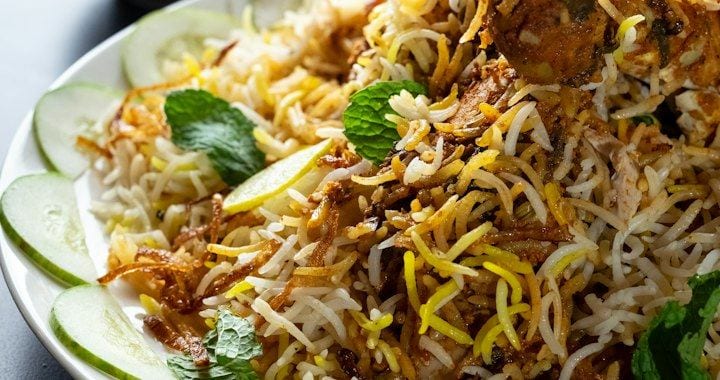
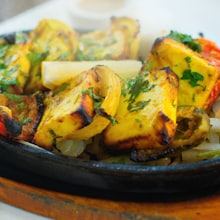
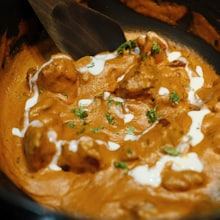 Butter ChickenHalf · Full₹260 ADDPaneer TikkaMild · Hot₹180 ADD
Website Studio is the theme builder inside Owncart for your restaurant's ordering website. Start from a restaurant template, add sections from a library (menu, pre-booking, gallery, FAQ), and edit a draft guests never see. Preview it, publish off-peak, and restore the earlier version if a change looks wrong. It all runs on your own domain.
The banner gets changed at 7:50 pm, the menu section slides under the header, and the first person to notice is the guest trying to order.
A weekend special, a new phone number, a Diwali banner: each one sits in a message to whoever built the site, so the site slowly stops being true.
On a marketplace page you are one card among fifty, in their colours, with their search box and their guest list. Someone searching for your biryani lands on their page, not yours.
Keep aggregators for new guests. Bring regulars direct. See the ordering website →
Pick the layout for your kind of restaurant: dine-in, café, QSR or cloud kitchen. The menu-style header and category circles are already in place.
Add the header, hero banner, menu, pre-booking, gallery, FAQ and footer on the canvas. This is a draft, not a live edit; guests keep seeing the published site.
Open the preview and check the site the way a guest will see it, before anyone else does.
Publish at 3 pm, not at 8 pm. If the new hero looks wrong, restore the earlier version in one tap and fix the draft later.
Point order.yourrestaurant.com at the site, add your policy pages, and paste in Meta Pixel and Google Tag Manager.
Every restaurant starts on a free Owncart address with the starter site. The custom domain and Website Studio come with the Restaurant plan, ₹10,000 per outlet per year, 0% commission.
Dine-in, café, QSR and cloud-kitchen layouts, with a menu-style header and category circles made for food.
Menu, pre-booking campaigns, chef specials, banners, gallery, reels, testimonials, FAQ and blog. Add what you need, in the order you want.
Edit a draft guests never see. Preview it, publish when it suits you, and restore any earlier version if a change is bad.
order.yourrestaurant.com instead of a shared address, with the policy pages a real site needs.
Every dish gets its own page, so a search like “butter chicken delivery near me” can find you. Guests use text and voice search and browse before they log in.
Paste your pixel and container once and measure which ads bring orders.
One reel, one restaurant: from no website to its own ordering site.
He edits Saturday's banner in draft, previews it on his phone and publishes at 3 pm. If the hero looks wrong, he restores Friday's version in one tap.
Drafts, previews, publishes at 3 pm; restores Friday's version if needed
Priya lands on order.annabhavan.com, not a marketplace, and orders biryani
The café starts on the free Owncart address, picks the café template, adds a gallery and an FAQ, then connects order.yourcafe.com on the Restaurant plan.
Template: Café · Sections: Menu, Gallery, FAQ · Domain connected
Opens the café's own domain and adds it to the home screen like an app
A pre-booking section goes on the home page in draft, Meta Pixel is already in place, and the page is published before the ads start. The owner can see which ads brought orders.
Section: Pre-booking · Diwali thali · Meta Pixel active
Taps the ad, lands on the pre-booking page and books a slot

UPI and card payments at checkout on your website.

Website orders are created in the POS and print as a KOT.

Two-way sync: menu from the POS, website orders back into it.
The same menu opens inside the chat when a guest says Hi.
Meta Pixel and Google Tag Manager are built in for ad tracking. See all integrations.
Something else? Ask us on WhatsApp.
No. Website Studio is a feature area inside Owncart, on the same Restaurant plan as WhatsApp ordering and the live order board: ₹10,000 per outlet per year, 0% commission. The Free plan includes a starter site.
You edit it yourself in Website Studio: pick a template, add sections, change banners and text. You work in a draft, preview it and publish when you are ready.
No. Guests only ever see the published version. Your edits live in a draft until you publish, so you can work on the site during the lunch rush without touching what guests see.
Restore the earlier version in one tap. Website Studio keeps earlier versions, so Friday night stays on the last good one while you fix the draft.
Yes. The Restaurant plan includes a custom domain for your ordering website, for example order.yourrestaurant.com, plus policy pages. You can start on a free Owncart address.
Menu, pre-booking campaigns, chef specials and banners, gallery, reels, testimonials, FAQ and blog, on a restaurant template with a menu-style header. See the ordering website for the checkout side.
Yes. Meta Pixel and Google Tag Manager are built in, so you can measure which ads bring orders. Every dish also has its own page for search, and guests can use text or voice search before logging in.
Start free with a photo of your menu and a starter site, or book a 15-minute demo and we'll set up your domain with you.