
WhatsApp ordering setup checklist
Twelve checks before your first WhatsApp order, and three for the first week after.
Last updated
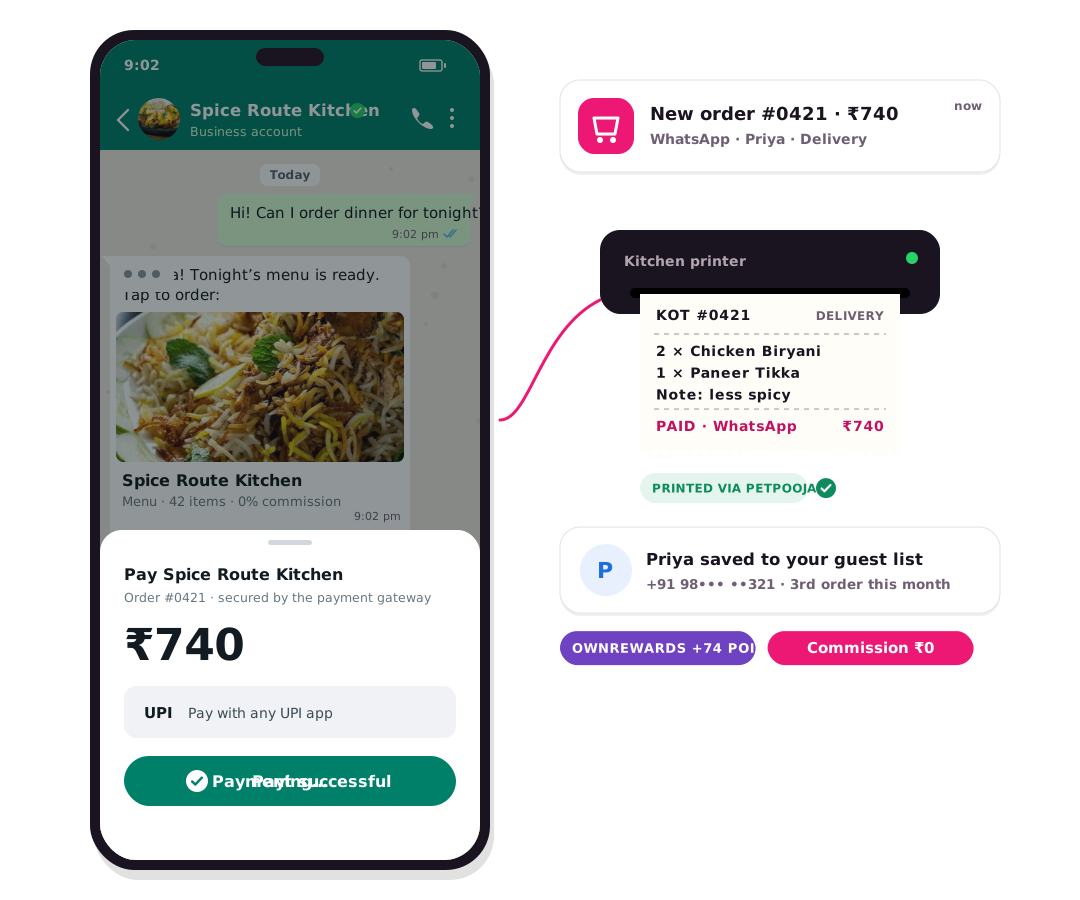
Before launching WhatsApp ordering, a business should have its WhatsApp Business number ready, payments connected (Razorpay), POS dishes matched, the menu reviewed, delivery and pickup rules set, order update messages and payment link expiry configured, staff roles added, retargeting switched on, and test orders placed from every channel.
The checklist
- ✓WhatsApp Business number ready (you can keep your existing number with co-existence)
- ✓Restaurant plan active for each outlet
- ✓Razorpay connected for UPI and cards; decide where cash on delivery is allowed
- ✓PetPooja or Positeasy connected, with every dish matched
- ✓Menu reviewed: prices, Half / Full, add-ons, veg labels, timings
- ✓Delivery radius, fees and riders or partners set per outlet
- ✓Pickup and dine-in switched on if you offer them; table QR printed
- ✓Order update messages on: confirmation, ready, out for delivery, delivered
- ✓Payment link expiry set so unpaid orders never reach the kitchen
- ✓Staff added with roles: counter, manager, owner
- ✓Abandoned cart reminder and 30-day win-back switched on
- ✓Test orders placed from WhatsApp, website and a table QR
After go-live
- Check the live board for stuck orders every hour in the first week
- Review abandoned carts and see where guests stop
- Tell regulars: “Say Hi on WhatsApp to order direct”
How the ordering flow works: WhatsApp ordering.
Common questions
How do customers order on WhatsApp?
The customer says Hi on your WhatsApp number and receives a secure OwnCart link that opens inside WhatsApp. They pick dishes, choose delivery, pickup or dine-in, pay by UPI or card, and the order lands on your live order board. See WhatsApp ordering.
How much do WhatsApp messages cost?
Meta charges per message. Current rates we bill: marketing ₹0.98, utility ₹0.14, authentication ₹0.14. From 1 October 2026 Meta charges ₹0.14 per message. Because the menu opens as a page inside WhatsApp, an order needs only a few messages instead of a long chatbot conversation.
Related pages
Put your menu online tonight.
Start free with a photo of your menu, or book a 15-minute demo and we'll set it up with you.
- 0% commission on every order
- Free digital menu to start
- Set up in Tamil or English